Return instantly to important tab from any app or screen

Pin a call, a doc or a dashboard to a small bar that floats above every other app. One click, and Chrome takes you straight to that tab.

Free and open source · No account · Works in Chrome, Edge, Brave and other Chromium browsers
Created by enloop.md
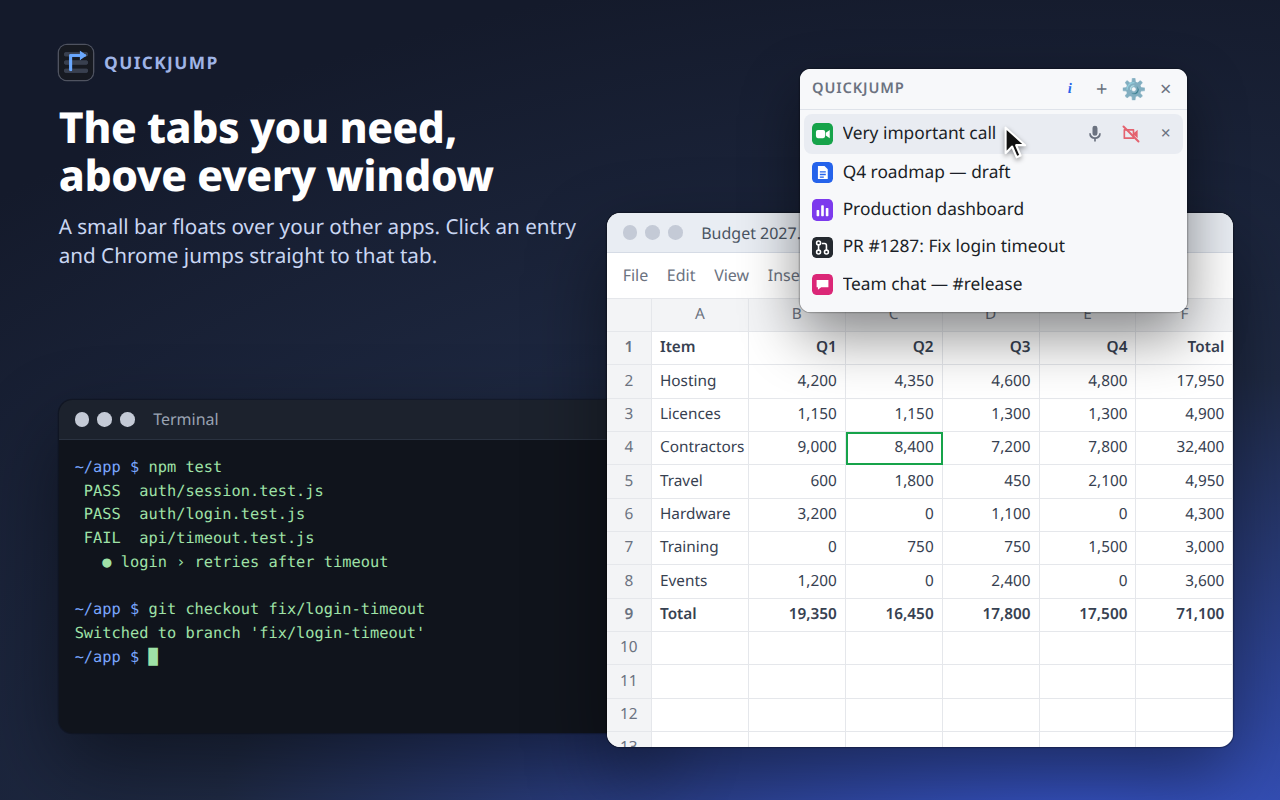
The QuickJump bar floating above a spreadsheet and a terminal, listing a call, a roadmap doc, a dashboard, a pull request and a team chat

You are on a call. You wander off into other windows. Someone asks you a question — and the meeting tab is nowhere to be found. QuickJump keeps it one click away.

Small bar, big shortcut

Everything you pinned, always in view, never in the way.

Add from the right-click menu

Right-click any page and choose Add to Quick Jump. Right-click a link to save a page you have not opened yet.

One click to jump

Chrome activates the tab, un-minimises its window and raises it, wherever it is.

Floats above every window

Uses Chrome's Picture-in-Picture to stay on top of other apps on Linux, macOS and Windows. No setup.

Auto-hides

Out of the way while Chrome is focused, back the moment you switch to another app.

Survives closed tabs

A closed tab stays in the list, dimmed, and reopens with one click. Entries also survive a browser restart.

Yours to arrange

Drag to reorder. Remove with × or a middle-click. New items land on top, or at the bottom if you prefer.

Right-click. Add. Done.

Pin the call before you wander off. The entry keeps the page's title and icon, so the list stays easy to scan.

  • Add to Quick Jump: the current page
  • Add link to Quick Jump: a link, without opening it
  • Show Quick Jump bar: bring the bar back
  • Mute from the bar: a Google Meet or Microsoft Teams entry shows your microphone and camera and toggles them with one click
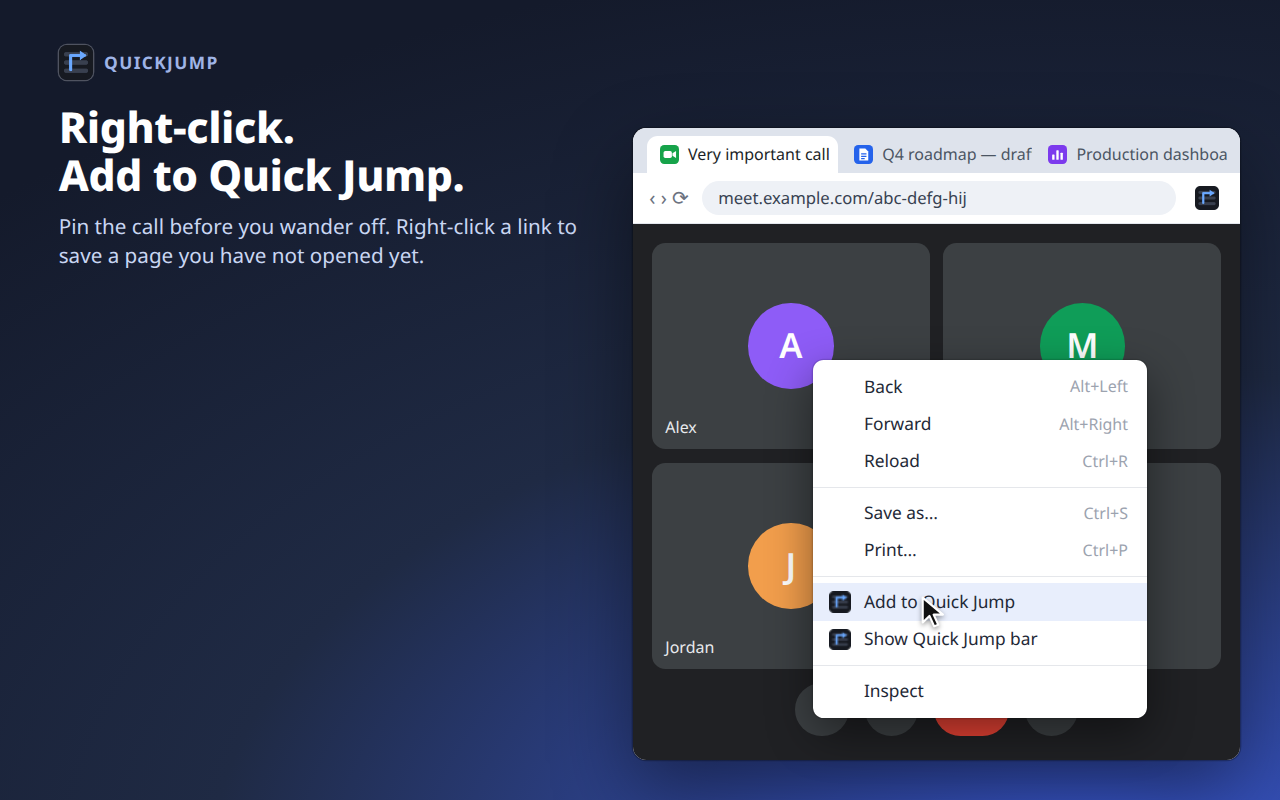
The right-click menu on a video call page with Add to Quick Jump highlighted

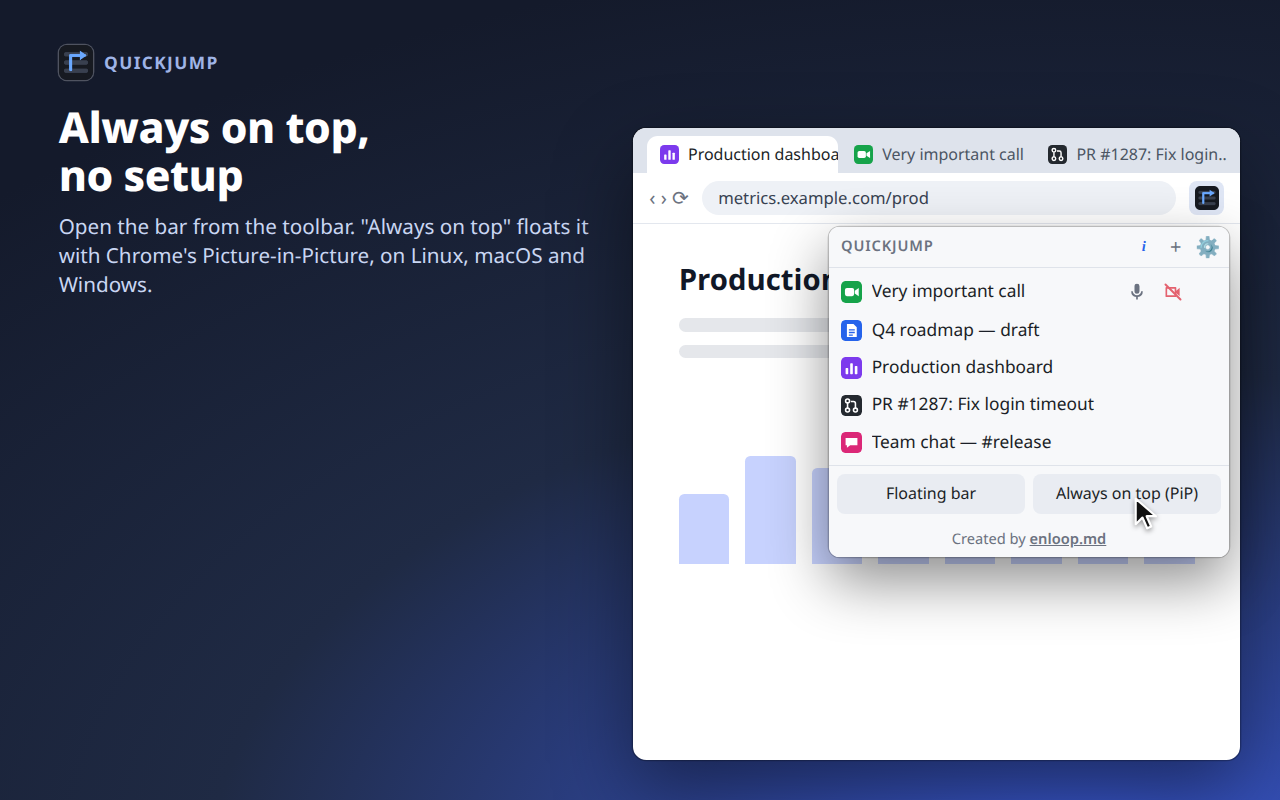
Always on top, no setup

Open the bar from the toolbar. Always on top (PiP) floats it above every app through Chrome's own Picture-in-Picture window. Prefer a regular window? Floating bar opens one; on KDE Plasma a ready-made window rule pins it.

The QuickJump toolbar popup with the list and the Floating bar and Always on top buttons

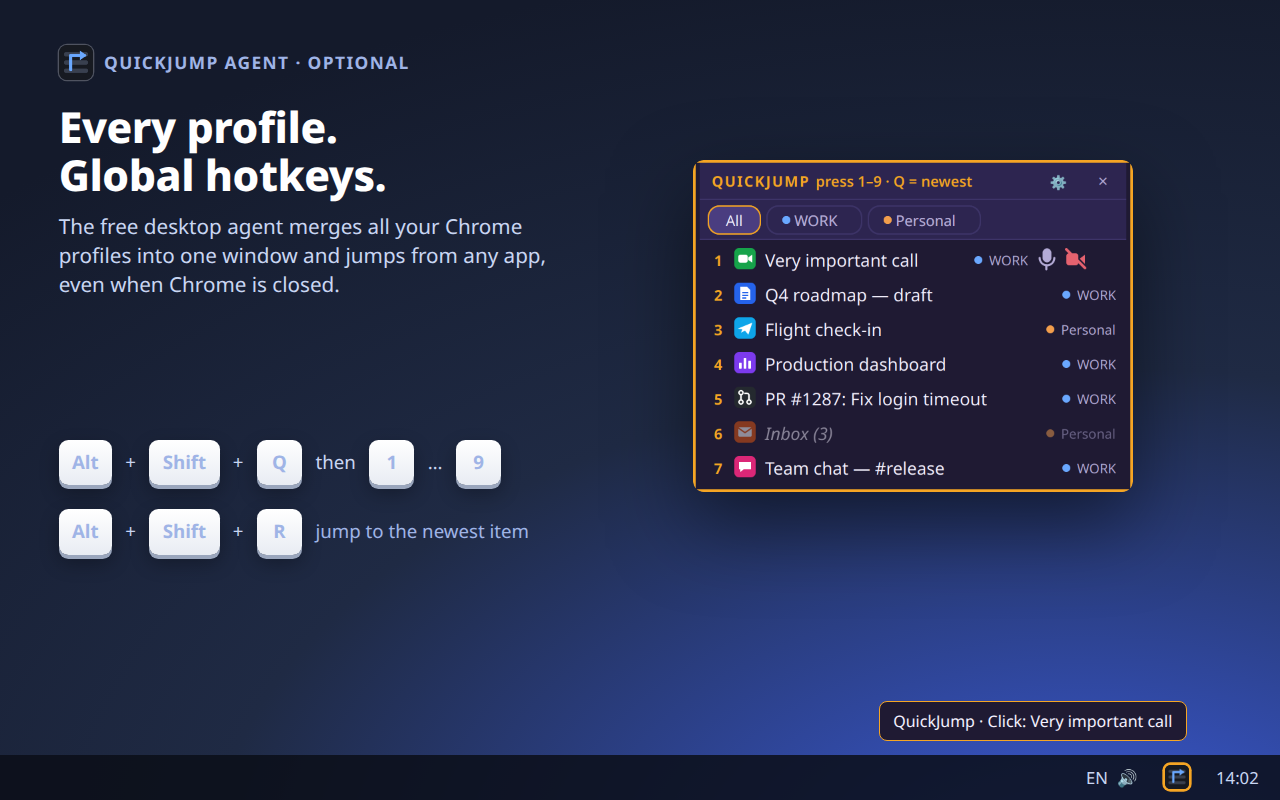
Go further with the desktop agent

A small, free companion app. It is optional — the extension works fine without it.

  • One window for all profiles: all Chrome profiles and Chromium browsers, with a filter for each
  • Global hotkeys: Alt+Shift+Q then 1–9 from any app; Alt+Shift+R for the newest item
  • Tray icon: one click jumps to the newest item
  • Works when the browser is closed: starts the right profile at the saved page
The QuickJump agent window listing items from the WORK and Personal profiles, with hotkeys

Agent platforms

Linux is fully supported. macOS and Windows builds are in preview.

DesktopWindow on topGlobal hotkeysTray icon
KDE Plasma (Wayland, X11)Yes, via a KWin rule added automaticallyYesYes
GNOMEYesYes, single strikeWith the AppIndicator extension
Cinnamon, Xfce, BudgieYesYes, single strikeYes
Sway, Hyprland, i3, other WMsAdd a window ruleBind quickjump-cmd yourselfWith a bar that has a tray
macOS (preview)YesNot yetMenu bar
Windows (preview)YesNot yetYes

Up and running in a minute

No account, no configuration.

Install the extension

Add QuickJump to Chrome. It works on its own right away.

Pin what matters

Right-click a page → Add to Quick Jump. Open the bar from the toolbar icon.

Optional: run the agent

Download it for global hotkeys, a tray icon and one window for all your profiles. The extension finds it automatically.

Private by design

No account, no analytics, no servers. Your list lives in your browser's local storage. If you run the agent, the extension talks only to it, on your own computer (127.0.0.1). Nothing leaves your machine.

The code is open source under the MIT license, so you can check every line. Read the privacy policy.